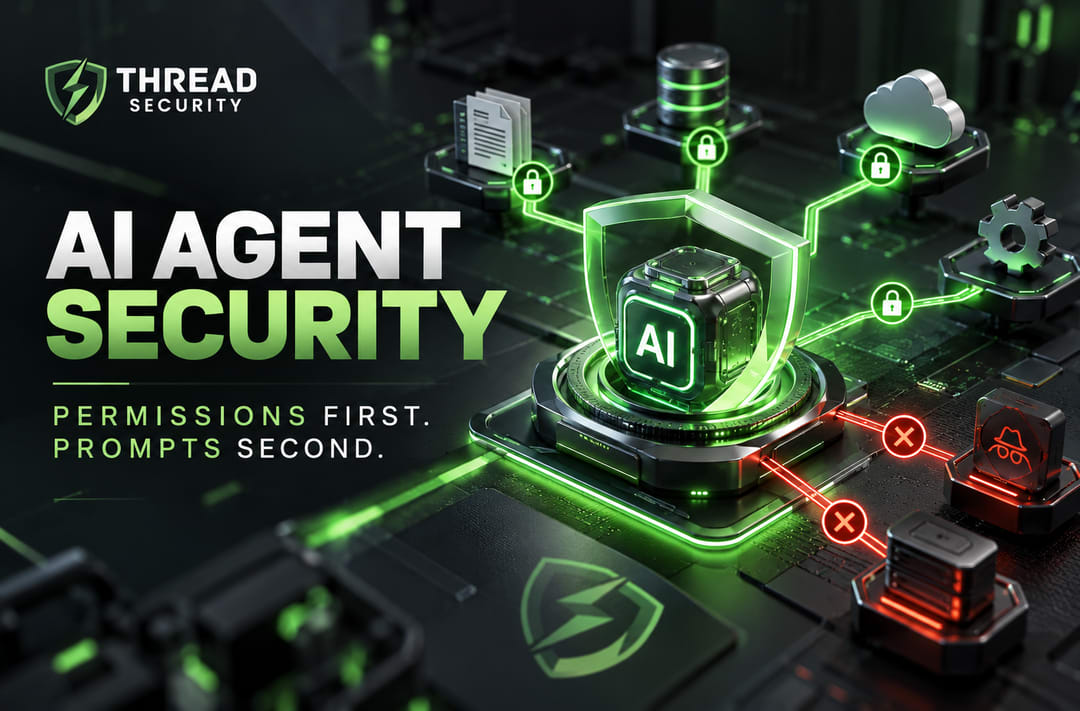
AI agent security is becoming an important consideration as organizations connect artificial intelligence to business applications, internal data, and automated workflows. An AI system that can only generate text presents a different operational risk from one that can access files, call APIs, modify records, or execute actions. Before giving an AI agent access to business systems, your team needs to answer a fundamental question: what is the agent actually allowed to do?
The answer should begin with permissions, not prompts. Clear instructions can guide an AI agent, but enforceable access controls determine which resources it can access and which actions it can execute. This distinction matters for any organization adopting agentic AI, from small businesses experimenting with workflow automation to enterprises integrating AI into production systems.
What Are AI Agents?
AI agents are software systems that use AI models to pursue a goal through a sequence of steps. Depending on their design, they may retrieve information, select tools, call external services, interact with databases, and take actions based on the results.
For example, an AI customer-support agent might search an approved knowledge base, summarize a customer request, draft a response, and create a support ticket. A more privileged agent might also issue refunds or change customer account details. Those additional capabilities create additional security responsibilities.
The important distinction is not simply whether a system uses artificial intelligence. It is whether the system can take actions with meaningful consequences. Once an agent has access to sensitive information or operational tools, its identity, permissions, integrations, and execution environment become part of the organization's security boundary.
Why Prompts Alone Cannot Secure AI Agents
A system prompt can define an agent's role and tell it to follow organizational policies. However, natural-language instructions are not the same as access-control enforcement. Models can misunderstand requests, generate incorrect decisions, or be influenced by untrusted content they process.
One relevant threat is prompt injection. An attacker may place malicious instructions in a user message, document, email, or web page that an AI system reads. The attacker may try to redirect the agent, obtain sensitive information, or persuade it to invoke a tool in an unintended way.
Consider an AI assistant that summarizes incoming emails. One email contains instructions telling the assistant to forward confidential documents to an external address. A prompt may instruct the assistant never to reveal confidential information, but that instruction alone does not establish a technical barrier against unauthorized email transmission.
If the agent has broad file access and unrestricted permission to send messages, a failure in its decision-making could have real consequences. If the underlying systems enforce access restrictions, require authorization, and limit the available actions, the potential impact can be reduced.
The OWASP GenAI Security Project provides guidance on risks affecting large language model applications. Its 2025 Top 10 includes Excessive Agency, addressing risks associated with excessive functionality, permissions, and autonomy.
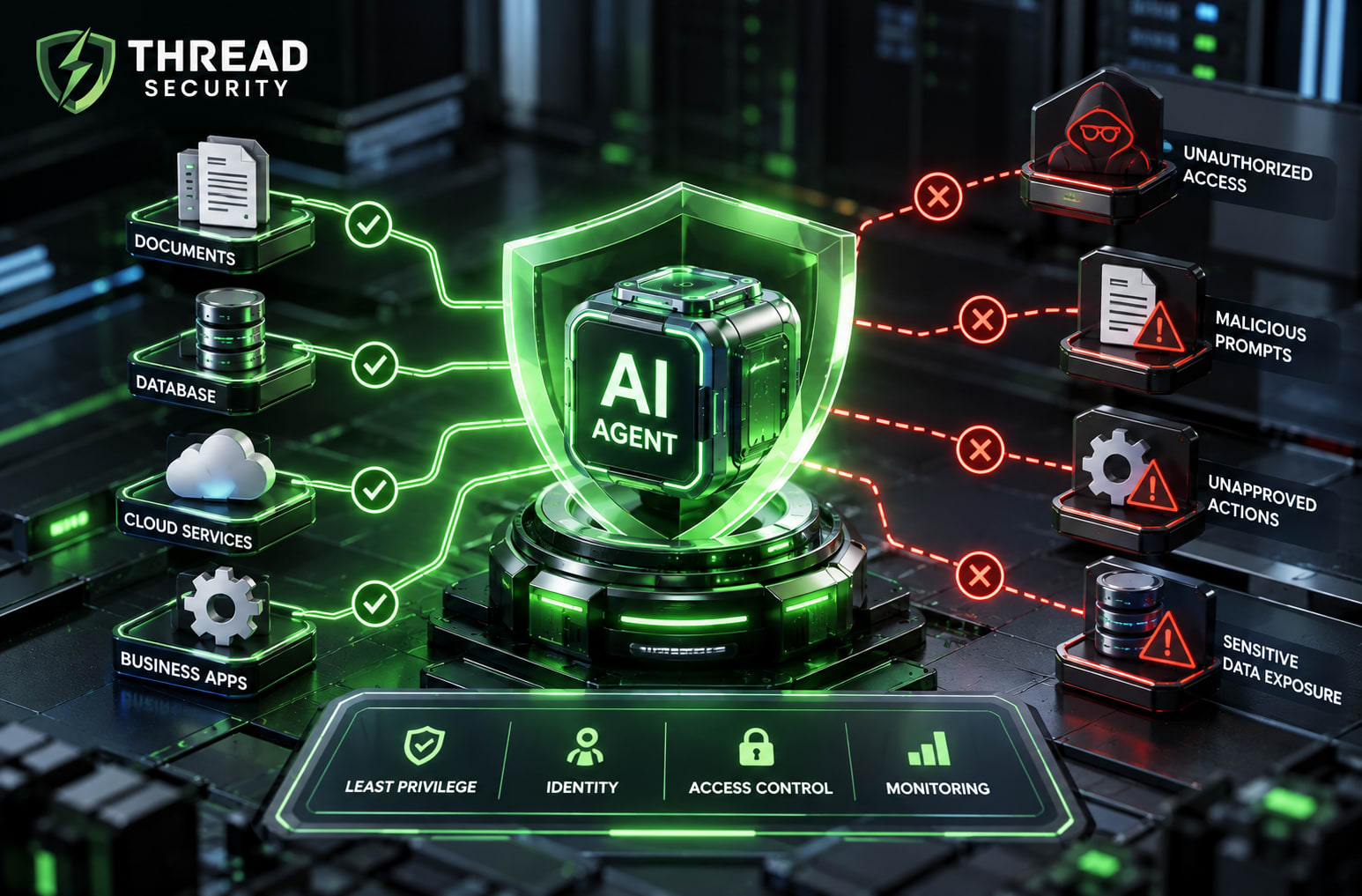
1. Apply the Principle of Least Privilege
The principle of least privilege means granting a user, application, or service only the access required to perform its assigned responsibilities. AI agents should follow the same principle as other software identities.
Before connecting an agent to a business application, document its permitted actions. Does it need to read documents, edit them, or delete them? Does it need access to every customer record, or only records relevant to a specific task? Does it need administrator privileges, or would a narrowly scoped role be sufficient?
Prefer read-only access when reading is enough. Restrict write access to approved resources. Separate development and production environments, and avoid giving an agent broad administrative privileges merely to make an initial demonstration easier.
For cloud environments, review IAM roles, API scopes, service identities, database permissions, and secret-management practices. Where supported, use short-lived credentials and controlled authentication flows. Never place passwords, private keys, or long-lived API secrets in prompts or other content the model can process unnecessarily.
Practical test: If the agent were compromised or manipulated, what is the maximum damage its current permissions could allow? If it could delete production resources, export unrelated customer data, or change security settings, reduce its access before expanding the deployment.
2. Give Every Agent a Clear Identity
Security teams need to determine which agent performed an action, what initiated it, and which permissions authorized it. Shared credentials and generic service accounts make investigations harder because activities become difficult to attribute accurately.
Where the architecture permits it, assign distinct identities to agents or workloads. Bind access permissions to those identities, keep credentials separate, and revoke access when an agent is retired or its responsibilities change.
Identity management must also account for connected tools. An agent may interact with plugins, APIs, databases, cloud services, or third-party applications. Each integration introduces its own permissions, dependencies, and potential failure points.
This is where Zero Trust security principles are relevant. Access should not be granted simply because an agent operates inside an internal network or belongs to an approved application. Verify identity, evaluate authorization, and enforce appropriate controls for each protected resource.
Also consider the relationship between the person requesting an action and the agent performing it. An agent should not automatically inherit unrestricted privileges merely because its initiating user has broad access. Authorization should reflect the intended task, organizational policy, and the sensitivity of the requested operation.
3. Use Human Approval for High-Risk Actions
Human oversight does not mean a person must approve every operation an AI agent performs. That approach can make automation unnecessarily slow. Instead, classify actions according to their potential impact and define approval requirements before deployment.
Low-risk tasks, such as summarizing public documentation or categorizing support tickets, may be suitable for controlled automation. Actions such as deleting records, changing access permissions, transferring money, sending sensitive information externally, or deploying production changes deserve stronger safeguards.
For high-impact operations, introduce an independent approval gate. Present the intended action, target, and relevant details to an authorized reviewer. The system should verify the approval before executing the action.
The approval mechanism must be enforced outside the model's own judgment. If an agent can bypass the approval interface and call the underlying API directly, the control is ineffective. Apply authorization checks at the service or application layer.
Microsoft's security guidance on managing agentic AI risk discusses risk management, boundaries, permissions, and oversight. These considerations are useful when designing secure AI workflows.
4. Protect Sensitive Data and Connected Tools
AI agents may combine information from internal documents, retrieval systems, databases, external websites, and business APIs. Access to a document does not mean every instruction inside that document should be trusted.
Classify sensitive information and restrict which agents can retrieve it. Enforce authorization when information is requested, not merely when it is initially indexed. Ensure that one employee or department cannot obtain another party's restricted information through an AI retrieval workflow.
Validate agent outputs before passing them to downstream systems. Do not automatically trust generated text as a safe SQL query, shell command, configuration file, or API request. Use parameterized database queries, input validation, appropriate output encoding, and sandboxing wherever applicable.
Review third-party tools and connectors before allowing agents to use them. Limit the data each integration can access, document its purpose, and remove tools that are no longer needed. An integration should not receive broader permissions than the task requires.
Logging is another essential control. Record relevant tool calls, access decisions, approvals, errors, and changes to sensitive resources. Protect logs from unauthorized access and avoid storing unnecessary secrets or personal data. A useful audit trail helps security teams investigate unexpected behavior and establish what occurred.
5. Build an AI Agent Security Checklist
Before deploying an AI agent into production, use a documented security review to assess its capabilities and limitations.
Purpose: Is the agent's role documented, including permitted and prohibited actions?
Identity: Can activity be attributed to the relevant agent and initiating user or process?
Access control: Does the agent have only the minimum required permissions?
Data protection: Are sensitive data sources protected by enforceable authorization rules?
Prompt injection: Have direct and indirect prompt-injection scenarios been tested?
Tool security: Have integrations been reviewed, restricted, and monitored?
Human oversight: Do high-impact actions require independent authorization?
Monitoring: Can the team identify unusual tool calls and unexpected data access?
Recovery: Can access be revoked, the agent stopped, and affected systems recovered?
Ownership: Is a responsible team assigned to review, approve, and retire the agent?
The NIST AI Risk Management Framework offers a broader approach to identifying, assessing, and managing AI risks. It is a voluntary risk-management framework, not a certification or guarantee that an AI system is secure.
For additional technical guidance, consult the OWASP guidance on AI and LLM application security testing. Adapt testing to the actual tools, data, architecture, and threat model of your deployment.
6. Introduce AI Agents in Controlled Stages
Start with a narrow use case that has measurable objectives and limited operational impact. Document the agent's permitted data sources, tools, actions, and acceptable failure conditions. Test it in an isolated environment using controlled data before connecting it to production systems.
Security testing should cover expected behavior and adversarial situations. Test malicious instructions in retrieved documents, attempts to access restricted records, unauthorized tool calls, and requests to perform prohibited actions. Confirm that the underlying systems reject unauthorized operations even when the model attempts them.
Deploy gradually, monitor behavior, and reassess permissions whenever the agent's model, tools, data sources, or responsibilities change. Establish an incident-response process for disabling credentials, suspending integrations, investigating suspicious activity, and restoring affected systems.
Do not assume an agent remains low-risk simply because its original version was safe. Adding a new integration or granting permission to modify cloud infrastructure can materially change its risk profile.
How Thread Security and Thread Security Education Fit In
At Thread Security, secure technology adoption should begin with understanding risks, defining access boundaries, and validating controls before deployment. Organizations evaluating AI agents should consider identity and access management, application security, vulnerability assessment, and risk-based testing as part of their wider cybersecurity strategy.
Thread Security Education connects this broader security mindset with cybersecurity learning. Building a foundation in network security, secure application development, access control, vulnerability assessment, and security monitoring can help aspiring professionals and practitioners understand the controls needed to evaluate emerging technologies such as agentic AI.
Organizations planning AI adoption should develop both technical safeguards and internal security capability. Structured testing, documented responsibilities, practical learning, and clear access policies help teams make better decisions before granting an AI system access to business-critical resources.
Explore Thread Security and Thread Security Education through the company's official website to learn about relevant cybersecurity resources, training opportunities, and security services. Confirm the scope of any service or training program with the team before making a decision.
Conclusion: Permissions First, Prompts Second
AI agents can help automate workflows, retrieve information, and coordinate tasks. However, the ability to act introduces security responsibilities that cannot be addressed through prompt engineering alone.
Start with least-privilege permissions, clear identities, protected data, independently enforced approval gates, and meaningful monitoring. Test for prompt injection and misuse before deployment, and assign an accountable owner to every production agent.
The critical question is not simply whether an AI agent follows instructions. It is whether your systems remain protected when the agent makes a mistake, encounters malicious input, or attempts an action it should not perform.
Ready to Strengthen Your AI and Cybersecurity Readiness?
Review one AI workflow in your organization. List every resource it can access, every action it can execute, and every approval it can bypass. Correct excessive permissions before expanding its autonomy.
Want to strengthen your cybersecurity knowledge? Explore Thread Security and Thread Security Education through the official company website for relevant cybersecurity learning resources and professional development opportunities.
Take action today: Share this article with your AI, engineering, and security teams, review your agent permissions, and establish a security checklist before your next deployment. Build AI systems that are not only useful, but also accountable, controlled, and secure.
Akshay Kumar
VERIFIEDAcademic Coordinator · Thread Security
Faculty mentor & research guide at Thread Security Education.