Cloud for AI Careers: Why Your Cloud Skills Matter
Cloud computing has become an important part of modern artificial intelligence engineering. Training machine learning models, deploying applications, accessing GPUs, managing datasets and serving AI models can all involve cloud infrastructure. For aspiring AI engineers, the goal is not to learn every cloud platform at once. It is to understand the core concepts and build practical experience with one platform before expanding.
AWS vs Azure vs Google Cloud: The Core Differences
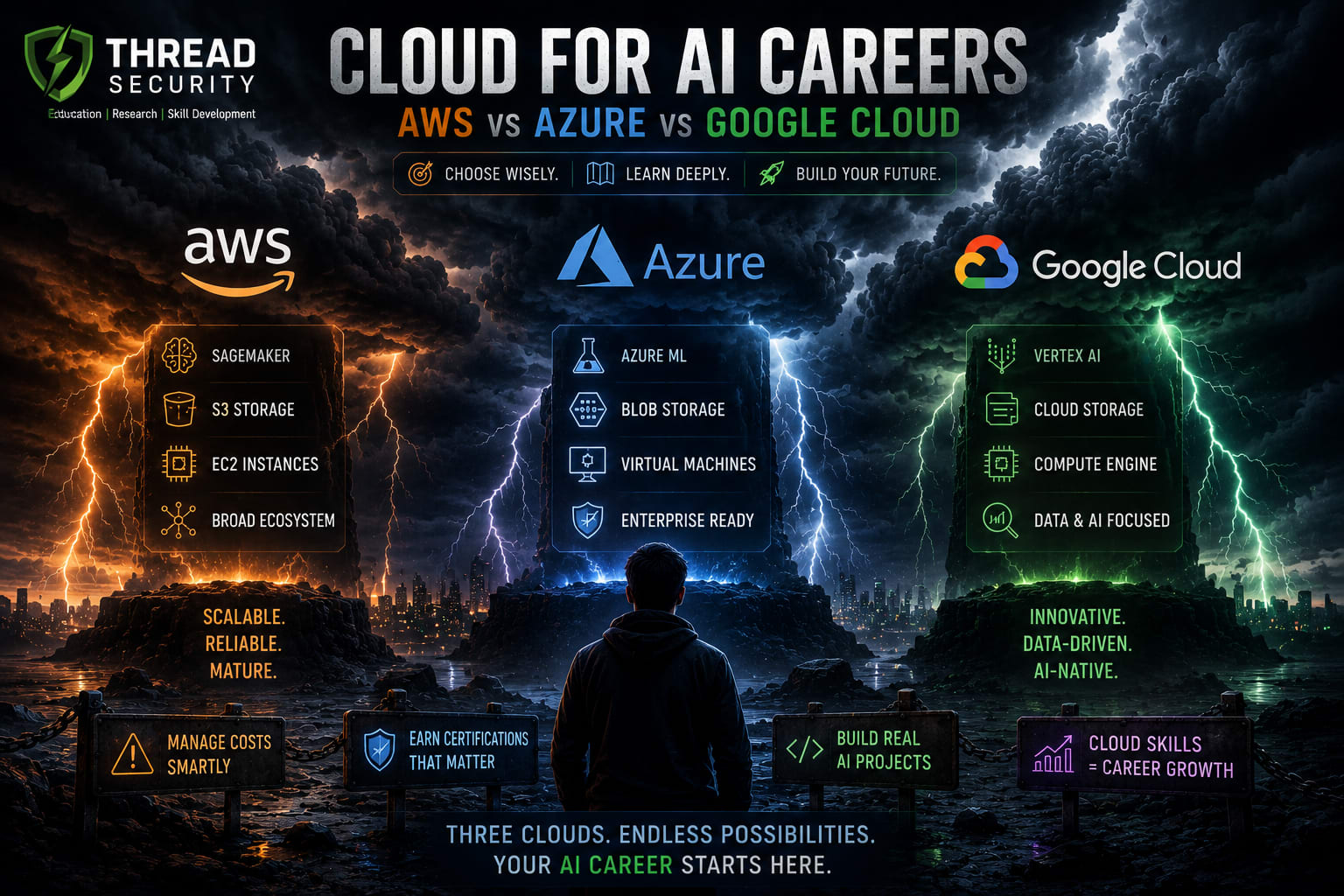
Amazon Web Services (AWS), Microsoft Azure and Google Cloud Platform (GCP) all provide infrastructure and managed services for AI and machine learning. Their product names, integrations, pricing structures and workflows differ, but many foundational concepts transfer between platforms.
Amazon Web Services (AWS)
AWS offers a broad cloud ecosystem for computing, storage, networking, data engineering and machine learning. Amazon SageMaker provides tools for developing, training and deploying machine learning models. AWS also offers GPU-enabled compute options for workloads that need accelerated processing.
Good learning focus: cloud fundamentals, Amazon S3, IAM permissions, compute instances, SageMaker and model deployment.
Microsoft Azure
Azure combines cloud infrastructure with Microsoft's data, development and enterprise ecosystem. Azure Machine Learning supports model development, training, management and deployment, while Azure AI services provide managed capabilities for building AI-powered applications.
Good learning focus: Azure fundamentals, identity and access management, storage, Azure Machine Learning and AI application deployment.
Google Cloud Platform (GCP)
Google Cloud offers data and AI services, including Vertex AI, alongside infrastructure for deploying applications and running accelerated workloads. Its data ecosystem can be particularly relevant to engineers working across analytics, machine learning and generative AI.
Good learning focus: Google Cloud fundamentals, Cloud Storage, IAM, Vertex AI and deploying an AI application.
Comparison at a Glance
Area | AWS | Azure | Google Cloud |
|---|---|---|---|
Machine learning platform | Amazon SageMaker | Azure Machine Learning | Vertex AI |
Object storage | Amazon S3 | Azure Blob Storage | Cloud Storage |
Compute | EC2 and other compute services | Azure Virtual Machines | Compute Engine |
Identity and permissions | AWS IAM | Microsoft Entra ID and Azure RBAC | Cloud IAM |
Useful starting point | Cloud and ML workflows | Microsoft-integrated environments | Data and AI workflows |
These services are not identical, and their capabilities change over time. Compare the current official documentation before choosing a service for a particular project.
GPU Access: What AI Engineers Should Know
GPUs can accelerate deep learning training and inference, but not every AI project needs one. Python fundamentals, data preprocessing, SQL, model evaluation and many introductory machine learning exercises can run on a regular computer or CPU-based cloud instance.
When you do need accelerated compute, check GPU availability in your target region, supported machine types, quotas, storage and data-transfer costs. GPU instances can be expensive, so shut down or delete resources when they are no longer needed.
Cloud Certifications for AI Careers
Certifications can help structure your learning and demonstrate familiarity with a platform. They do not replace practical projects or prove that you can independently build and maintain a production AI system.
AWS: explore current AWS cloud and machine learning certification pathways.
Azure: explore Azure fundamentals and the current AI and machine learning credential options.
Google Cloud: explore Google Cloud foundational and machine learning credentials.
Certification names, exam availability and requirements can change. Always verify the current details on the official provider website before paying for an exam.
How to Choose Your First Cloud Platform
Start with your project requirements rather than choosing a platform solely because it is popular. Consider the tools your target employers use, the learning resources available to you, the services required by your project and the budget you can afford.
If you are new to cloud computing, learn virtual machines, storage, networking, permissions and billing first.
If your work already uses Microsoft technologies, Azure may fit naturally into that environment.
If your project relies on a particular managed AI or data service, compare that service across providers.
If you are unsure, choose one platform and complete a small end-to-end project before exploring another.
Your First Practical Project: Deploy an AI Application
A small deployment project can demonstrate more than a list of tutorials. Build a simple machine learning application that accepts an input, returns a prediction and explains how it was deployed.
Train a small model locally using Python and scikit-learn.
Build a lightweight API using FastAPI.
Prepare a requirements file and test the application locally.
Deploy it using an appropriate cloud compute or managed application service.
Configure access permissions and store any required files securely.
Record the deployment steps, test results and estimated costs in a README.
Delete unused resources when the experiment is complete.
For a generative AI extension, create a small retrieval-augmented generation (RAG) application over a set of documents. Document how you handle access, errors, data privacy and usage limits.
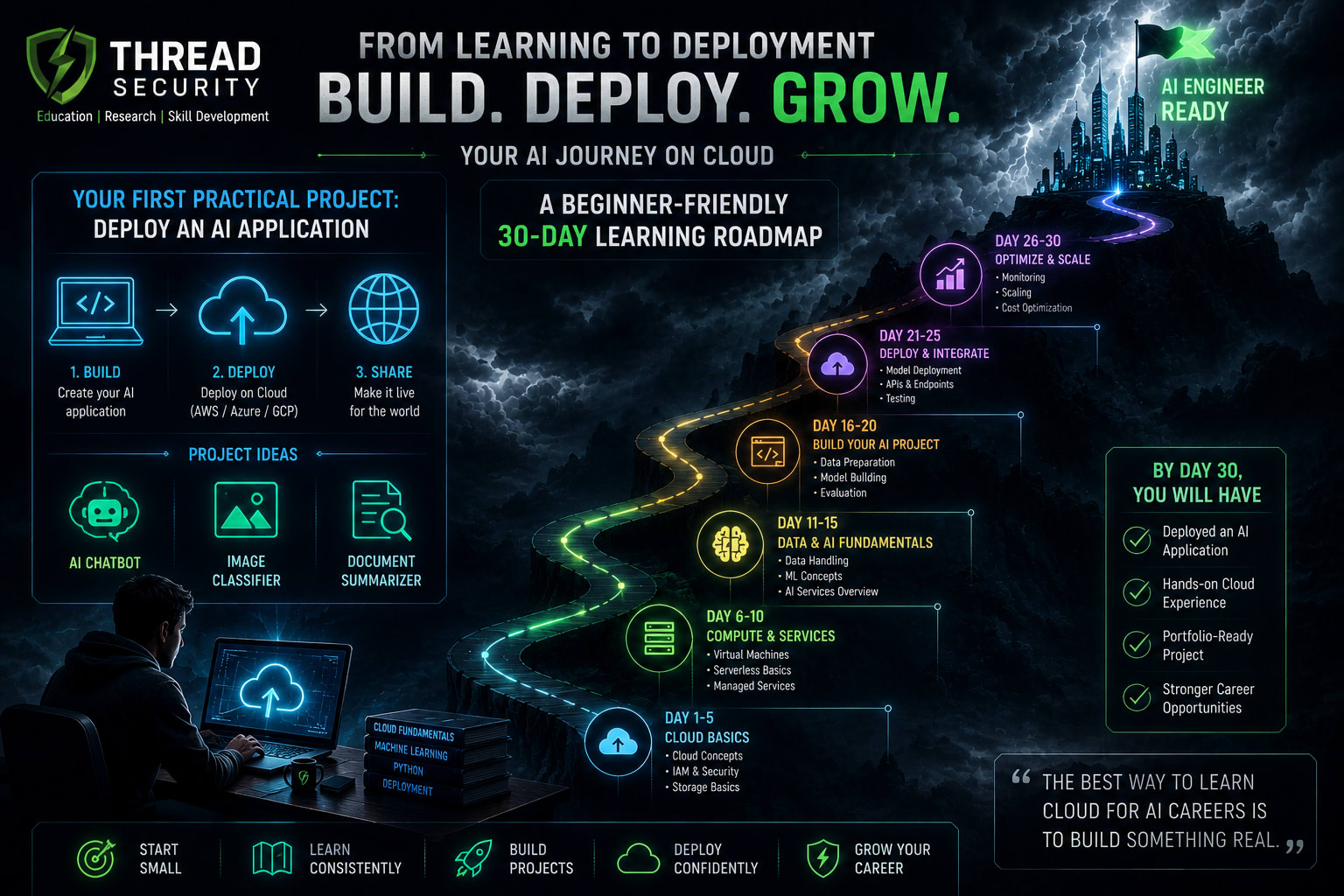
A Beginner-Friendly 30-Day Learning Roadmap
Week 1: Cloud Foundations
Learn regions, availability zones, compute, storage, networking, IAM and billing alerts. Practise creating and removing a basic resource.
Week 2: Python and Model Preparation
Build a small Python machine learning project, evaluate the model and prepare a reproducible environment.
Week 3: Deployment
Wrap the model in an API, deploy it to your chosen platform and test its behaviour. Learn basic logging and troubleshooting.
Week 4: Portfolio and Cost Review
Document the architecture, security choices, deployment process, limitations and cost controls. Add a clear README and a short project demonstration.
Common Mistakes to Avoid
Trying to learn all three platforms simultaneously before completing a project.
Leaving GPU instances or other paid resources running unnecessarily.
Putting access keys, passwords or private data in public repositories.
Assuming a certification alone is sufficient evidence of practical skill.
Deploying an application without checking permissions, logs and usage limits.
Frequently Asked Questions
Which cloud platform is best for an AI career?
There is no universal winner. Choose based on your target role, project requirements, existing technical ecosystem and the services you need. The underlying cloud concepts are transferable.
Do beginners need a GPU to learn AI?
No. Many introductory Python and machine learning projects can run on a CPU. Use a GPU when the workload benefits from acceleration and you understand the cost.
Should I earn a cloud certification before building projects?
You can do both, but a small practical project is a valuable early step. It helps connect cloud concepts to real deployment tasks and gives you something concrete to discuss in interviews.
Can cloud skills help with generative AI roles?
Yes. Cloud skills can support model hosting, APIs, data pipelines, access control, monitoring and deployment. Combine them with Python, AI fundamentals and responsible data handling.
Build Practical AI Skills with Thread Security Education
Understanding cloud platforms becomes more valuable when you apply that knowledge to real projects. Thread Security Education encourages learners to strengthen their foundations in Python, data science, machine learning and artificial intelligence through practical, project-oriented learning.
If you are exploring AI training, internship opportunities or a structured learning path in Jalandhar, connect with Thread Security to learn about current programmes and available opportunities.
Take the Next Step:
Choose one cloud platform, build a working AI project and document what you learn. Practical evidence of your skills can help you communicate your readiness for AI engineering opportunities.
Simranjit Kaur
VERIFIEDAI Trainer · Thread Security
Faculty mentor & research guide at Thread Security Education.