It Runs on My Laptop, So It Is Private" is Only Half True
Local AI privacy is a good thing. If you run your own model, your prompts don't need to be sent to a provider's servers, and you control what is stored. This is why there is a trend for lawyers, clinicians, journalists and developers using AI locally when dealing with sensitive information.
However, “local” means “where the computation is performed”, not “where the data is performed”. Files are still in a file somewhere, Apps are still allowed access, models are still supplied from somewhere and other people can still interact with the machine. This guide breaks down the false marketing claims, while explaining the four risks that are still unknown to most local AI users.
What Local AI Can Do for You, and What it Can't.
The real benefits. A locally run model does not by default send your prompt to a third party for processing. You can often communicate without a connection to the Internet, select the duration of messages and documents are stored, and not include another external processor in your data flow. That can make it easier to answer queries for organizations regarding who gets personal data.
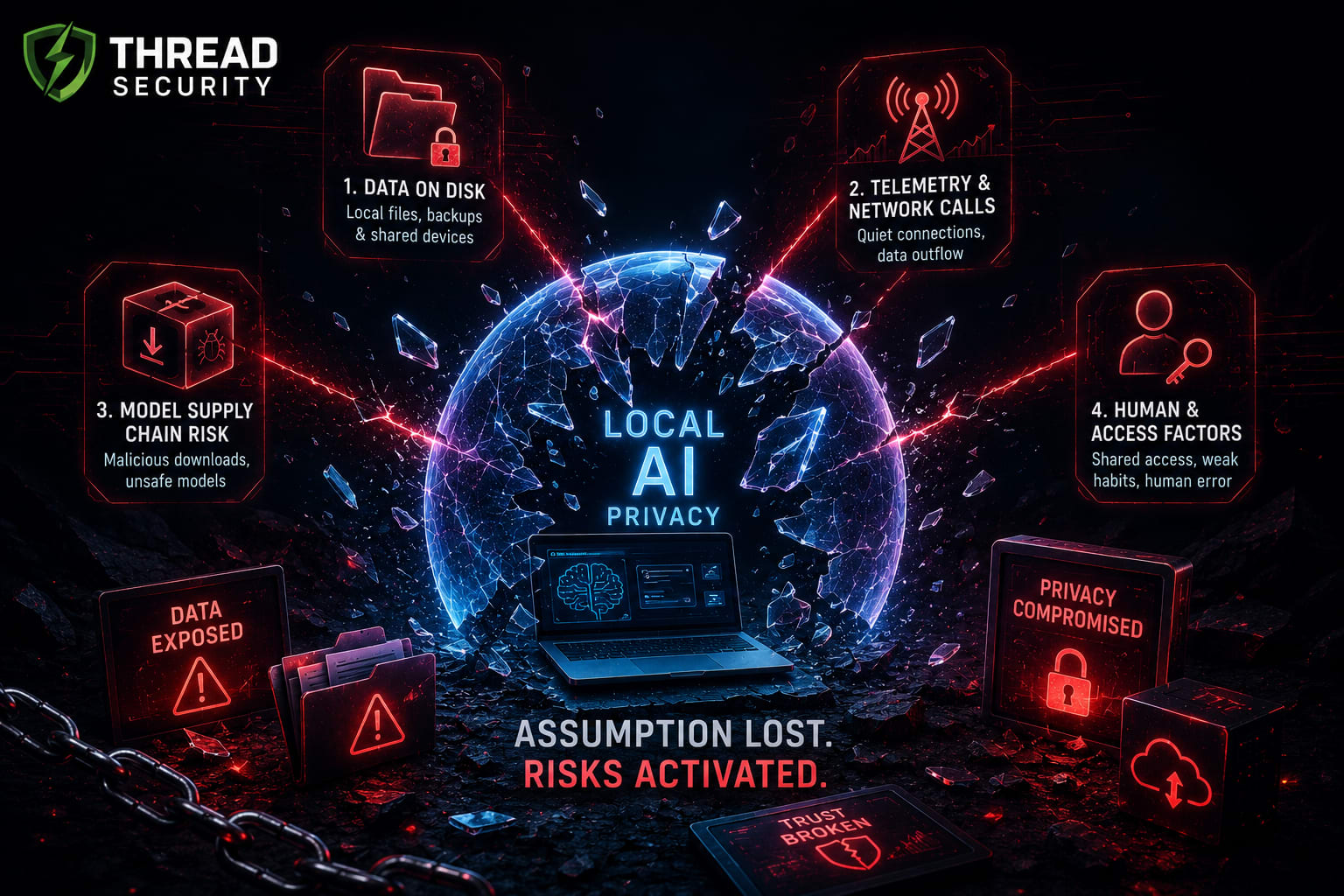
The caveats it does not make. It does not ensure that the application is quiet on the network. Not encrypts the chat history or the index of documents. Does not prevent your backups from copying them. It will not remove access to a shared computer from the next user. It does not indicate that the model file that you download is safe. And it doesn't guarantee a local AI service that is accidentally connected to the internet. The following four sections examine each of these as a risk.
Local AI will change who has access to your data, not that it can leak, that's a useful rule to remember.
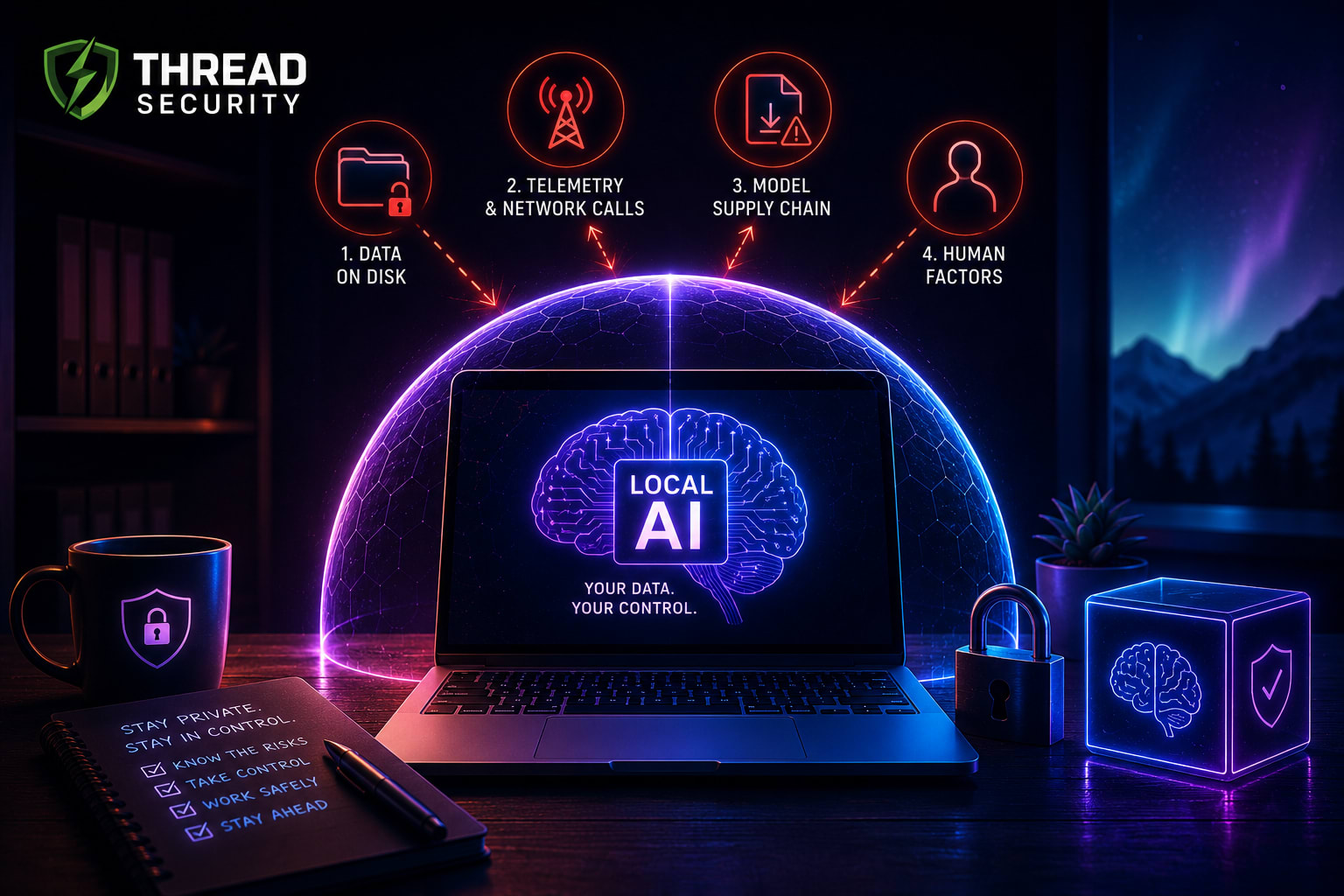
Risk 1: Your Data STILL Lives on the Disk (Local Files, Backups and Shared Devices)
A locally configured AI generates a file history. Your conversation history, cached outputs, logs and searchable index of your documents are all stored on your storage, usually as normal unencrypted documents. The index created by the tool can be extremely sensitive, if you allow it to index a folder of contracts or medical records.
There are three factors that expand the exposure, which are stated below:
Backups and sync. Those history files and indexes can be secreted away from your computer by Cloud backup or by device backup/sync folders. Removing a chat within the application will not remove the copies in a backup and an index may remain in the backup after the document is removed.
Shared devices. If a family member or someone with admin permissions has access to another computer, either one of them can open the data folder of the app. It may also be readable by other software on your account, such as extensions in your browser.
Loss and theft. If not completely encrypted, then a lost laptop gives away all the contents that the AI has seen.
Action steps: Determine the location of your tool history, caches and indexes. Full disk encryption is on. Don't sync those folders to the cloud, or encrypt them. If you are doing sensitive work run it under a different user account and remove the conversation and index afterwards.
Risk 2: Telemetry and Quiet Network Calls
Some "local" Apps still communicate with the Web. Reasons that are common include usage analytics, crash reports, update checks, license validation, optional web search/plugins, and cloud features that activate when you check a box or log in. All of these may contain information about what you do and some of these have an optional cloud backup for those tasks that the local model doesn't perform.
The point is, not all apps do this as policies and defaults differ. What I mean is that the statement "works offline" is not the same thing as "sends nothing" and you should not take this for granted.
What to do:
Follow the instructions for reading the privacy policy and settings for telemetry, analytics and “improve the product” options, and disable what you can.
Look for cloud / web features and disable them when working on sensitive information.
Test it. Use a firewall to block the app's outgoing connection, or set up a lab environment to monitor the app's network activity using a tool like Wireshark; you'll know what the app is attempting to connect to.
It is recommended to use it on machines or network segments which cannot access the internet.
The risk of model downloads as a supply chain is addressed. The risk of model downloads as a supply chain is covered.
Risk 3: Model Downloads Are a Supply Chain
A model is a file downloaded and loaded, and may execute code when loaded. With a big public hub, security firm JFrog found roughly 100 models that were malicious with some that could run code on the user's machine. It was caused by the use of the widely used "pickle" format that can execute arbitrary code when it is loaded. The hub is protected from scans, but it is not necessarily blocked, and the researchers said that there may be security research uploads as well. The risk remains as they are accessible to the public.
This is a 2024 discovery, and platforms have since introduced safety measures, but the bottom line is that it's a lesson to be learned. The untrusted code is a model with an unknown publisher. Formats that are designed to not execute code, like Safetensors, were created as a "safer" alternative to pickle, but none in particular would be a guarantee.
What to do:
Download from the original source or a reputable and trustworthy source, not from a random re-upload.
Avoid formats which run code when loaded, and watch out for settings which enable a model to execute custom code.
If a checksum has been published, verify with it.
Use new models in a virtual machine or container, and avoid accessing any personal files.
Ensure local AI software is up to date.
Risk 4: App Permissions and Exposed Local Servers
Local AI tools are becoming more than just chat tools. They read your folders, capture your screen, use your microphone, call other apps and, in agent modes, run commands. Every permission allows for a further reach of what a mistake or an attack can reach, and permissions are often given once and forgotten.
It's the exposure that's the bigger surprise. In January 2026, SentinelOne's SentinelLABS and Censys found 175,000 publicly accessible Ollama hosts from 130 countries, a popular option for running models locally. The software's default configuration is to bind to the local machine, therefore, the problem wasn't a built-in design bug, but a misconfiguration by users. About half of the exposed hosts did have tools calling ability, allowing a stranger to be able to drive the model to perform actions, not just answers. Criminals also were reported to be selling access to such servers.
The lesson doesn't only apply to local AI services, but to any local AI service where no one knows the network port that the service is listening on.
What to do:
Assign the lowest folder permissions, microphone permissions, and screen and network permissions; and check permissions periodically.
Note any local AI service must be kept attached to your machine. If it can't be avoided, place it behind a VPN or a registered gateway.
Do not forward the port of the service to the internet to "make it work.
If not needed, turn off tool and command execution and need confirmation for actions.
Privacy benefits versus guarantees: what you can say truthfully?
It's crucial that you be accurate when you're describing your setup to a client, a manager and yourself. You can logically assume that prompts are handled on your own device, that you control the data that is stored and how long it is stored, and that you have less outside parties handling the data. Until you look into storage, backups, network traffic, model provenance/exposure, you can't say that it's 100 percent private, or nothing will ever leave the device.
When it comes to businesses, they're at stake with law. The Rules were notified in November 2025 with a 13-month phased implementation process, with several summaries suggesting that the Rules will come into effect around 13 May 2027. The organization is still responsible for reasonable security precautions for personal data regardless of whether the model is hosted by the provider or the office laptop.
For a concise overview of local AI privacy standards, try this
10-Minute Local AI Privacy Checklist.
Where and is the disk that the app uses to store history, caches and document indexes encrypted?
Do those folders sync to the cloud or get backed up to the devices?
Does anyone else use this device or have admin access?
Are the metering, analysis and cloud backup disabled and have I done some traffic testing?
From where was the model obtained and does it avoid running any code when it loads?
Have I used new models in a virtual machine before?
Has more file, microphone, screen or network permissions than it should?
Can any AI service be accessed from the outside of my machine and does it require authentication?
For organizations: What is the role of Thread Security?
Laptop and workstation or internal servers are being used for local models, typically without any approved process. The research by IBM in 2025 reveals that while just 37 percent of organizations have access to AI for their controls, unsanctioned "shadow AI" contributed approximately ₹1.79 crore to the average cost of a breach. According to its website, Thread Security is a certified cyber security firm and penetration testing company that offers VAPT, Web Application Penetration Testing, Cloud Security Review and Smart Contract Auditing. These kinds of evaluations include checking which services or protocols your network is exposing. According to the IBM report on the Indian market 2026, offensive security testing is the highest cost saving factor, with a saving of around ₹2.47 crore per breach, however, this is an average from the sample. Request any provider, including Thread Security, if testing of AI deployments is included.
AI Courses in Jalandhar: Learn how to run and secure AI Models for proper running.
For practical learning, consider AI courses in Jalandhar that provide hands-on experience in deployment and security, and not just theory. Thread Security Education provides programs that have offline classes and live online classes. They offer AI Infrastructure, Cloud and LLMOps Engineering, AI Security and Responsible AI Engineering, Foundational AI, and Generative AI and Agentic AI courses (as mentioned on their website as 6-month fellowships), as well as cyber security courses in Jalandhar like CEH and industrial training and Blue Team and SOC operations. The institute claims its syllabus is aligned with the OWASP Top 10 for LLMs and MITRE ATT&CK.
Contact: Thread Security Pvt Ltd, 3rd Floor, Vasal Mall, Opposite Hotel President, Police Line, Jalandhar, Punjab 144001. Phone: +91 7347398956. Hours of Operation: Monday - Saturday, 9 AM - 7 PM.
Frequently Asked Questions
Does local AI offer greater privacy than cloud AI? It can be, since your prompts don't have to stay on your device when they're not in use. However, it is not necessarily private. Data may be lost through stored files and backups, as well as through telemetry or model sources and app permissions.
Does offline mean that no data goes away from my device? Not necessarily. Working offline is the ability for the basic operation without Internet access. There are still some apps that will send analytics or checks for updates when connected. Test with a firewall and traffic monitor.
Is there a possibility for malicious code to be embedded in a downloaded AI model? Researchers have discovered malicious models on public hubs some model file formats can if loaded execute code. Use trusted sources; safer formats and sandbox for unfamiliar models.
What's the first step to getting better local AI privacy? Enable full disk encryption, locate any history and document indexes on your tool and ensure that the AI service is not accessible via the internet.
Key Takeaways
Local AI privacy is a genuine advantage, but it doesn't mean that no one will ever be able to access your data.
Stored files, backups and shared devices, telemetry, model downloads and app permissions & exposed servers are among the four risks that are typically overlooked.
Make sure you check your network settings and verify that approximately 175,000 local AI servers were exposed to the Internet due to misconfiguration.
Be clear about what you can actually say and what you can't. Don't assume, check.
Call to Action
This week, conduct the 10 minute checklist on your own system and share it with any others using local AI for sensitive work. If your organization requires its AI applications to be tested, visit Thread Security. See Thread Security Education to develop AI skills and security skills in Jalandhar.
Simranjit Kaur
VERIFIEDAI Trainer · Thread Security
Faculty mentor & research guide at Thread Security Education.