Why LLM Applications Need Guardrails
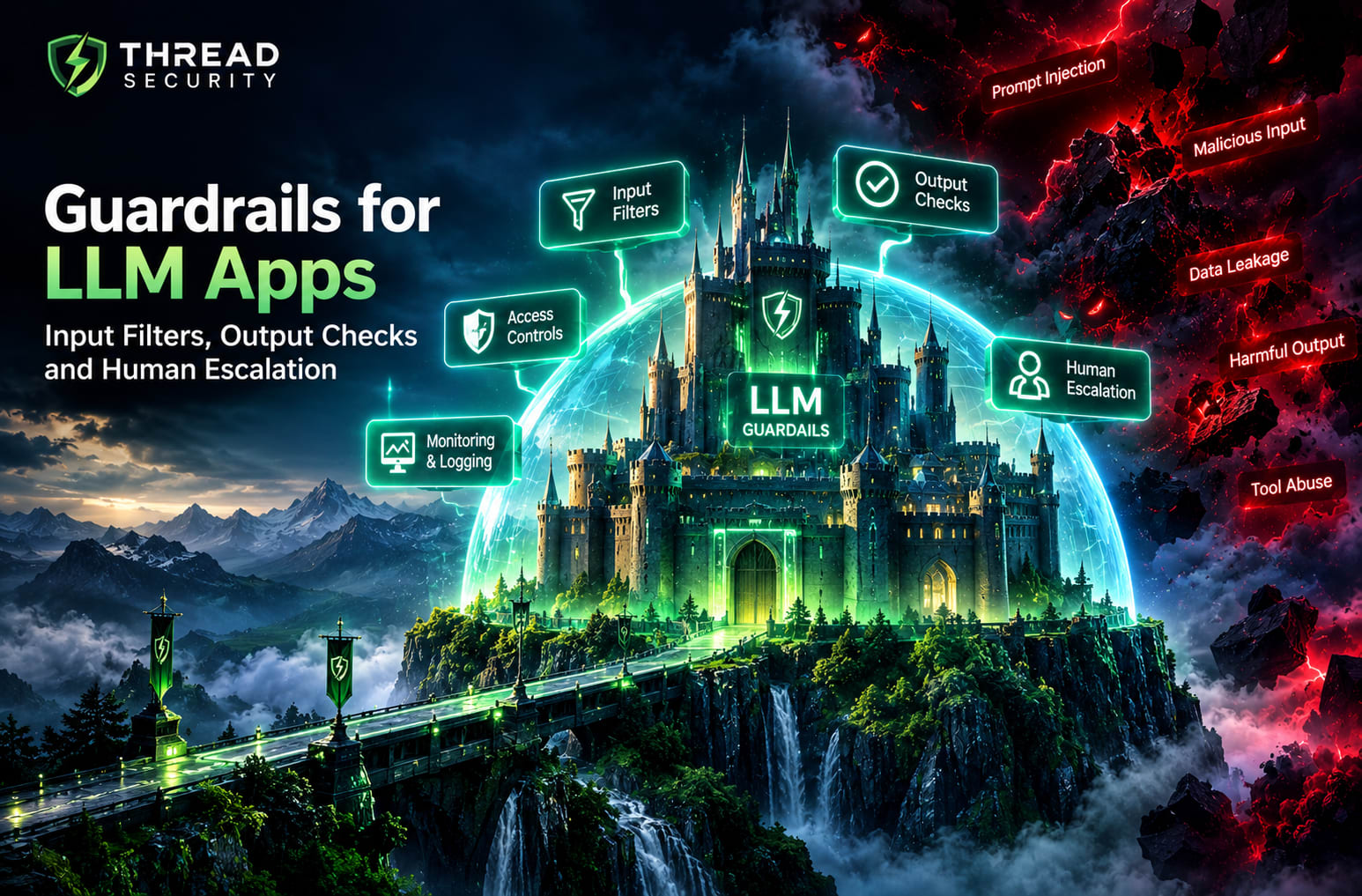
Guardrails for LLM apps are essential for building safer, more reliable and responsible artificial intelligence applications. As businesses introduce AI chatbots, document assistants, coding tools and AI agents, they need more than a capable language model. They need effective controls to identify risky inputs, validate generated responses, restrict tool access and escalate high-risk decisions to human reviewers.
A language model can produce incorrect information, follow misleading instructions, expose sensitive information present in its context or recommend actions that should not be performed automatically. These risks cannot be eliminated simply by writing a better prompt. Effective protection requires multiple layers, including input filtering, output validation, application-level access controls, continuous monitoring and human oversight.
This guide explains how guardrails for LLM apps work, where they fit into an AI application and how development teams can implement practical safety checks to reduce risks and build more dependable AI-powered systems.
What Are Guardrails in an LLM Application?
Guardrails are controls that define what an AI application is allowed to accept, generate and do. They help enforce application requirements that a model's own instructions may not reliably enforce on every request.
For example, a customer-support assistant might be permitted to explain a refund policy but not approve a large refund independently. A document assistant might summarize authorized files but must not expose documents belonging to another user. A healthcare information assistant might provide general educational information while directing urgent or complex cases to an appropriate professional.
In each example, the model's response is only one part of the system. Application permissions, validation logic, data access and escalation procedures are equally important.
1. Input Filters: Check What Enters the System
Input filtering is the first layer of defense. Before a request reaches the model, an application can validate its format, length, content and permissions. The exact checks depend on the use case, but several controls are useful across many applications.
Validate Input Format and Size
Check that required fields are present, data types are correct and requests remain within defined size limits. Reject malformed requests gracefully. These checks help prevent unexpected application behavior and reduce unnecessary processing.
Apply Context-Aware Content Checks
Some applications need to detect abusive content, requests that fall outside their purpose or attempts to submit sensitive information. A classifier or moderation service can help identify these cases, but classification results should be treated as signals rather than infallible decisions.
Overly broad filters can block legitimate questions. Test them against both risky inputs and harmless examples to measure false positives and false negatives.
Recognize Prompt Injection Attempts
Prompt injection happens when untrusted content attempts to manipulate a model's instructions or intended behavior. Such content may arrive directly from a user or indirectly through retrieved documents, web pages, emails and other external sources.
Detection patterns can help identify suspicious content, but keyword filtering alone is not a reliable defense. A safer design treats external content as untrusted, separates it from privileged instructions and prevents the model from granting permissions based on text it reads.
Enforce Identity and Access Rules
Authentication and authorization should happen in the application layer. Do not rely on the model to decide whether a user is allowed to access a file, account or database record. Enforce permissions in the actual retrieval and execution code before returning data or performing actions.
2. Output Checks: Validate What the Model Produces
Even when an input passes initial checks, the generated response can still be inaccurate, unsafe or unsuitable for the application. Output guardrails evaluate the response before it is displayed to the user or used by another system.
Content and Safety Moderation
Where appropriate, run generated content through a moderation layer to identify prohibited or high-risk material. The response can then be allowed, blocked, revised or routed for review according to a documented policy.
Moderation must reflect the application's purpose. A system designed for security education, for example, may legitimately discuss threats at a high level while still restricting unsafe actions. Context matters, so teams should evaluate moderation decisions rather than assuming every flagged response is harmful.
Validate Structure and Required Fields
If the model must return JSON, a database field, a classification label or a structured recommendation, validate the output against a schema. Check required keys, allowed values, data types and length constraints before using the result.
A response that looks like valid JSON is not necessarily correct or safe. Schema validation confirms structure, not factual accuracy, authorization or business-rule compliance.
Check Facts and Ground Responses in Evidence
For retrieval-augmented generation (RAG) applications, compare generated claims with the retrieved material when possible. Check whether required sources exist and whether the answer makes claims unsupported by those sources.
Retrieval and citation checks can reduce unsupported answers, but they do not guarantee truth. If the evidence is incomplete or conflicting, the application should communicate uncertainty or decline to provide a definitive answer.
Prevent Unsafe Actions
Never treat a generated sentence such as “transfer approved” as sufficient authorization to transfer money or change an account. Sensitive actions should pass through deterministic business rules, access checks and any required confirmation steps.
For tool-using applications, validate tool arguments, restrict available operations and reject calls outside the user's permissions. This keeps the model from becoming the sole decision-maker for important system actions.
3. Human Escalation: Know When Automation Should Stop
Not every request should be handled automatically. Human escalation creates a defined path for cases where the model is uncertain, a policy boundary is reached or the potential consequences are too significant for an automated decision.
Useful escalation triggers include:
High-impact decisions: Requests involving significant financial, legal, safety or account consequences.
Low confidence or conflicting evidence: Cases where the application cannot establish a sufficiently reliable answer.
Repeated guardrail failures: Requests that continue to trigger safety controls or produce inconsistent results.
Suspected data exposure: Situations in which confidential information may have been disclosed.
Restricted actions: Operations requiring explicit approval, stronger authentication or a privileged human role.
User requests for a person: Cases where the product's support policy provides access to a human representative.
A good escalation workflow should explain why the case was routed, preserve the relevant context and identify the next responsible person or team. It should also define expected response times and what happens if no reviewer is immediately available.
Human review is not automatically effective simply because a person is included. Reviewers need suitable training, enough evidence, clear decision authority and an interface that makes risks visible. High-risk cases should not silently proceed merely because a reviewer is unavailable.
4. Logging and Monitoring: Make Guardrails Measurable
Guardrails need ongoing evaluation. Logs help teams understand which controls triggered, whether requests were blocked correctly and whether a new model or prompt change introduced unexpected behavior.
Depending on the application and privacy requirements, useful records may include:
Request identifier and timestamp.
Model and application version.
Guardrail category and decision.
Validation failures and relevant error codes.
Tool calls, permission decisions and approval outcomes.
Escalation reason and resolution status.
Avoid collecting more personal or sensitive information than necessary. Redact secrets, restrict access to logs, define retention periods and follow applicable privacy and security requirements. Logs themselves can become a risk if they contain confidential prompts, credentials or user records.
Monitor indicators such as false-positive rates, missed unsafe cases, schema-validation failures, escalation volume and resolution time. Investigate sudden changes rather than relying on a single overall accuracy score.
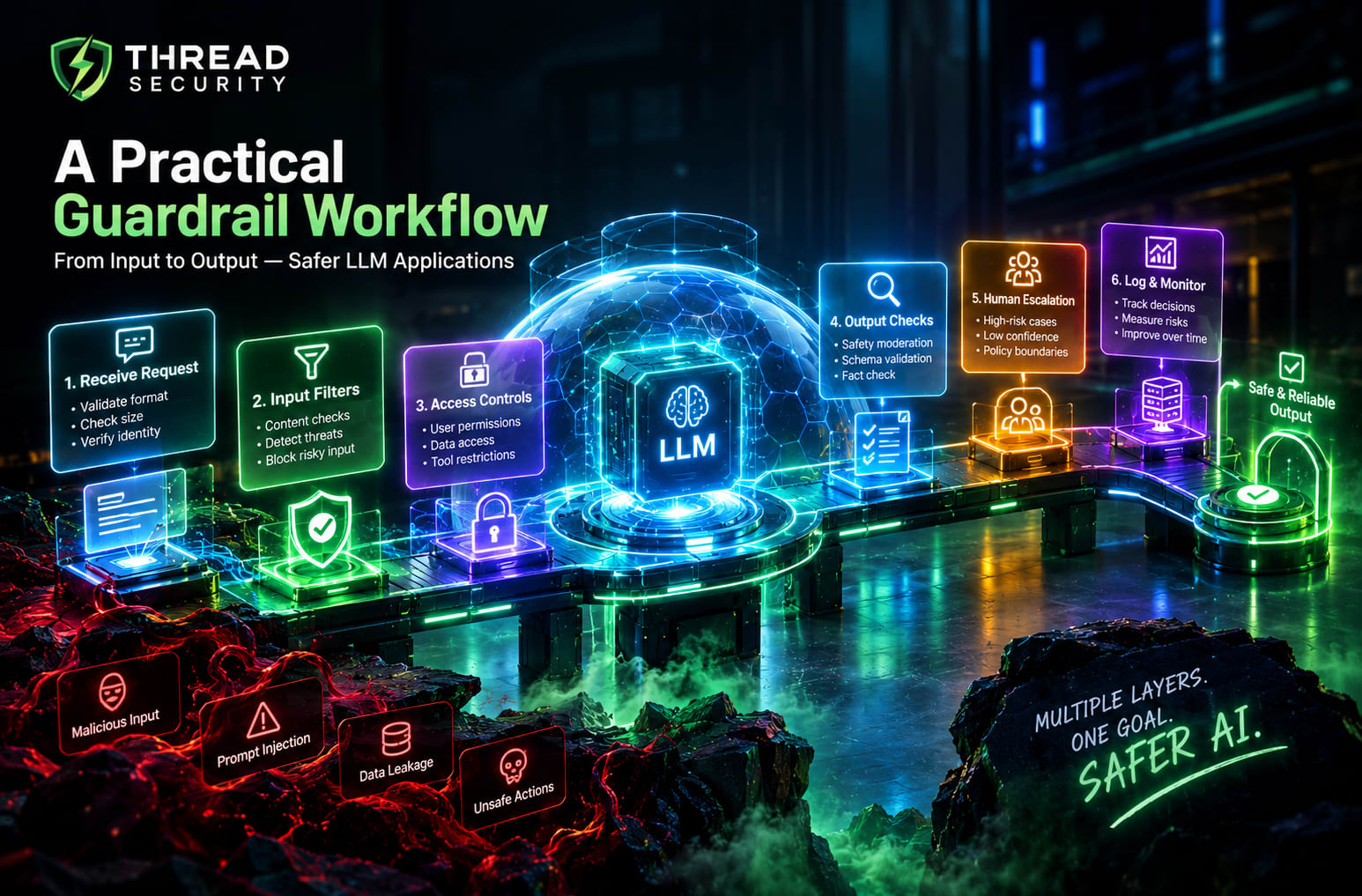
5. A Practical Guardrail Workflow
Consider an internal company assistant that answers questions using approved policy documents. A practical request-handling sequence could look like this:
Receive the request: Validate its format, size and authenticated user identity.
Check access: Determine which documents the user is authorized to retrieve.
Inspect retrieved content: Treat document text as untrusted input and avoid granting it control over application permissions.
Generate a response: Provide the model with relevant context and clearly defined task instructions.
Validate the output: Check the response for required structure, policy compliance and appropriate evidence.
Apply the decision: Return an acceptable answer, request clarification, block the response or escalate the case.
Record the outcome: Log the decision and relevant diagnostic details while protecting sensitive data.
Evaluate and improve: Review failures, update test cases and verify changes before deployment.
This workflow should not be interpreted as a universal order for every product. Some checks need to run earlier, repeatedly or at the moment an action is executed. The key principle is defense in depth: no single filter should be responsible for every security decision.
6. Common Mistakes When Building LLM Guardrails
Relying only on prompt instructions: Instructions help guide behavior but do not replace enforceable application controls.
Using keyword filters as the only defense: Meaning can change with context, wording and indirect inputs.
Trusting every model output: Validate structure, permissions and business rules independently.
Giving agents excessive permissions: Expose only the tools and actions required for the task.
Ignoring legitimate users: Measure false positives and test normal edge cases as well as malicious inputs.
Logging sensitive data indiscriminately: Keep diagnostic records useful without creating another data exposure risk.
Adding human review without clear rules: Define triggers, ownership, response expectations and safe fallback behavior.
Skipping regression testing: Retest existing scenarios whenever models, prompts, tools or policies change.
7. Beginner Implementation Checklist
Teams starting with a small LLM application can use the following checklist to establish a baseline:
Define the application's purpose, acceptable use and prohibited actions.
Validate input types, sizes and required fields.
Enforce user identity and data access in application code.
Treat retrieved documents and external content as untrusted.
Validate model output against the expected schema and business rules.
Restrict tool permissions and require approval for sensitive actions.
Define escalation triggers and a safe fallback when review is unavailable.
Log guardrail decisions with appropriate privacy protections.
Test normal requests, edge cases, prompt injection scenarios and unsafe outputs in an authorized environment.
Monitor failures and rerun tests after meaningful system changes.
Begin with the risks that matter most to the specific application. A read-only educational chatbot and an AI agent that can modify business records do not require identical controls. The depth of protection should reflect the system's capabilities, exposure and potential impact.
Build Your AI and Security Skills with Thread Security Education
Building dependable AI applications requires more than connecting a model to a user interface. Developers need to understand application security, model behavior, data handling, testing and the boundaries of automation.
Thread Security Education focuses on practical, industry-oriented learning across artificial intelligence and cybersecurity. Learners interested in generative AI, application development and emerging AI security challenges can strengthen their understanding through structured learning and hands-on practice.
Explore Thread Security to learn more about its training and technical learning opportunities.
Final Takeaway
Guardrails for LLM apps work best as multiple complementary controls. Input filters help identify problematic requests, output checks validate what the model produces, application permissions constrain what it can access or change, and human escalation handles cases that need additional judgement. Logging and regression testing help teams discover where these controls fail and improve them over time.
The objective is not to assume that an AI model will always behave correctly. It is to build an application that can detect problems, limit their consequences and respond safely when uncertainty remains. That is the foundation of responsible, dependable LLM application development.
Simranjit Kaur
VERIFIEDAI Trainer · Thread Security
Faculty mentor & research guide at Thread Security Education.