
Is It Time to Move Beyond pandas?
Polars vs pandas is becoming an important comparison for Python learners and data professionals. pandas has been a familiar choice for data cleaning, analysis and manipulation for years. However, Polars has attracted attention for its performance-focused design, parallel execution and lazy query optimization. With the release of Polars 2.0 in October 2026, beginners may be wondering whether they should start learning Polars instead of pandas.
The short answer is: not necessarily. A newer or faster tool is not automatically the best first tool to learn. Your choice should depend on the size of your data, the work you want to perform, the tools used by your team and the skills expected in your target role.
Let's compare both libraries using the same small dataset, examine their strengths and limitations, and decide where each belongs in a beginner's learning path.
1. What Are pandas and Polars?
Understanding pandas
pandas is a widely used Python library for working with structured and tabular data. Its main data structure, the DataFrame, allows users to load, clean, filter, group, transform and analyze information.
It is commonly used in exploratory data analysis, reporting, data science, machine learning preparation and business analytics. Its large collection of tutorials, integrations and community examples makes it a practical starting point for learners.
Understanding Polars
Polars is a DataFrame library built around performance and efficient data processing. It uses an expression-based API and supports parallel execution. One of its important features is lazy evaluation, which allows operations to be planned and optimized before execution.
Polars 2.0, released on 6 October 2026, introduced initial out-of-core processing support, further performance improvements, first-class SQL support and a new Map data type. These developments make it particularly interesting for workloads that need efficient processing.
However, Polars is not simply a faster replacement that every pandas user must adopt. Both libraries have different design choices and practical strengths.
2. Polars vs pandas: The Main Differences
Performance and execution
Polars is designed to execute many operations in parallel and can optimize lazy queries. This can make it significantly faster for suitable workloads, particularly when a pipeline contains several filtering, grouping and transformation operations.
pandas generally follows an eager execution model: an operation is performed when the relevant code runs. Its performance can still be very good, particularly for small and medium-sized datasets and workflows that already use efficient NumPy operations.
There is no honest universal speed multiplier. Results depend on data size, data types, hardware, operation complexity, file format and implementation. A benchmark that measures only one operation should not be treated as proof that one library is always faster.
Memory usage
Polars uses a columnar data model and is designed for efficient memory handling. Its lazy and streaming capabilities can help with larger workloads, while its newer out-of-core support introduces spill-to-disk processing.
pandas can consume substantial memory when datasets grow, especially when data types are inefficient or several intermediate copies are created. However, careful data-type selection, chunked processing and other optimization techniques can make pandas useful for many real-world workloads.
Syntax and learning curve
pandas has a familiar, widely taught syntax. Beginners can find answers to common tasks across courses, documentation, community discussions and existing projects.
Polars uses expressions such as pl.col() and provides both eager and lazy workflows. This can feel unfamiliar initially, especially to someone who has learned only pandas. Once understood, expressions can make data transformations structured and readable.
Ecosystem and compatibility
pandas has a mature ecosystem and broad support across data science tutorials, analysis workflows and third-party tools. It is especially useful when working with existing projects that already depend on pandas.
Polars has a growing ecosystem and supports common formats and integrations, but not every pandas workflow or third-party library has a direct equivalent. You may need to convert data, change your implementation or use another library when working with an existing tool.
3. Same Dataset, Two Different Approaches
Consider a small sales dataset containing product names, regions and revenue. We want to calculate total revenue for each region and sort the results from highest to lowest.
The following examples use the same data and perform the same task.
Using pandas
import pandas as pd

data = {
    "product": ["Laptop", "Phone", "Tablet", "Laptop"],
    "region": ["North", "South", "North", "South"],
    "revenue": [60000, 30000, 20000, 45000]
}

df = pd.DataFrame(data)

result = (
    df.groupby("region")["revenue"]
      .sum()
      .sort_values(ascending=False)
)

print(result)
Here, groupby() groups rows by region, sum() calculates total revenue and sort_values() arranges the result.
Using Polars
import polars as pl

data = {
    "product": ["Laptop", "Phone", "Tablet", "Laptop"],
    "region": ["North", "South", "North", "South"],
    "revenue": [60000, 30000, 20000, 45000]
}

df = pl.DataFrame(data)

result = (
    df.group_by("region")
      .agg(pl.col("revenue").sum())
      .sort("revenue", descending=True)
)

print(result)
Notice the difference: Polars uses group_by(), agg() and expressions such as pl.col("revenue"). The overall logic remains similar, even though the syntax is different.
Both approaches produce the same regional totals: North has 80,000 and South has 75,000. For this tiny dataset, the main learning benefit is understanding the API, not measuring speed.
4. Why Lazy Evaluation Makes Polars Interesting
One of Polars' important capabilities is lazy evaluation. Instead of immediately executing every operation, a lazy query builds a plan that can be optimized before execution.
For example:
import polars as pl

result = (
    pl.scan_csv("sales.csv")
      .filter(pl.col("revenue") > 10000)
      .group_by("region")
      .agg(pl.col("revenue").sum())
      .sort("revenue", descending=True)
      .collect()
)

print(result)
scan_csv() creates a lazy scan, and collect() executes the query. The query optimizer may reduce unnecessary work, for example by pushing filters closer to the data source or reading only required columns.
This is useful when processing larger datasets and multi-step transformations. It does not mean every lazy query will automatically be faster. The actual benefit depends on the query and available execution options.
5. What Did Polars 2.0 Change?
Polars 2.0 is a confirmed October 2026 release, not merely a rumor. Its official release announcement highlights several developments:
Out-of-core support: Initial spill-to-disk capabilities help extend processing beyond purely in-memory workflows.
Performance improvements: The release includes improvements to core execution.
First-class SQL support: SQL becomes a more central part of the Polars experience.
New Map data type: A new data type expands the library's data representation capabilities.
Stricter behavior: More explicit data-type handling can provide clearer feedback and reduce ambiguity.
Polars 2.1.0 was also released later in October. Therefore, anyone installing Polars should check the current stable version and documentation rather than assuming that the first 2.0 release is still the newest version.
There was also Python ecosystem news around SQLAlchemy 2.1. It is a database toolkit used for SQL operations and object-relational mapping. It is not an alternative to pandas or Polars, so its release should not be used as evidence that dataframe users need to switch libraries.
6. Limitations: Where Each Library Can Be the Wrong Choice
When pandas may not be ideal
Very large datasets may create memory pressure.
Long transformation pipelines can become difficult to optimize manually.
Repeated intermediate operations may add unnecessary overhead.
When Polars may not be ideal
Some existing libraries and tutorials expect pandas DataFrames.
Beginners may need time to understand expression-based syntax and lazy execution.
Migration can require rewriting code rather than simply changing an import statement.
Small datasets may show little practical benefit from switching.
There is also a maintenance consideration: teams should account for library versions, dependencies, testing and the cost of changing established pipelines. Choosing a tool based on a benchmark alone is poor engineering.
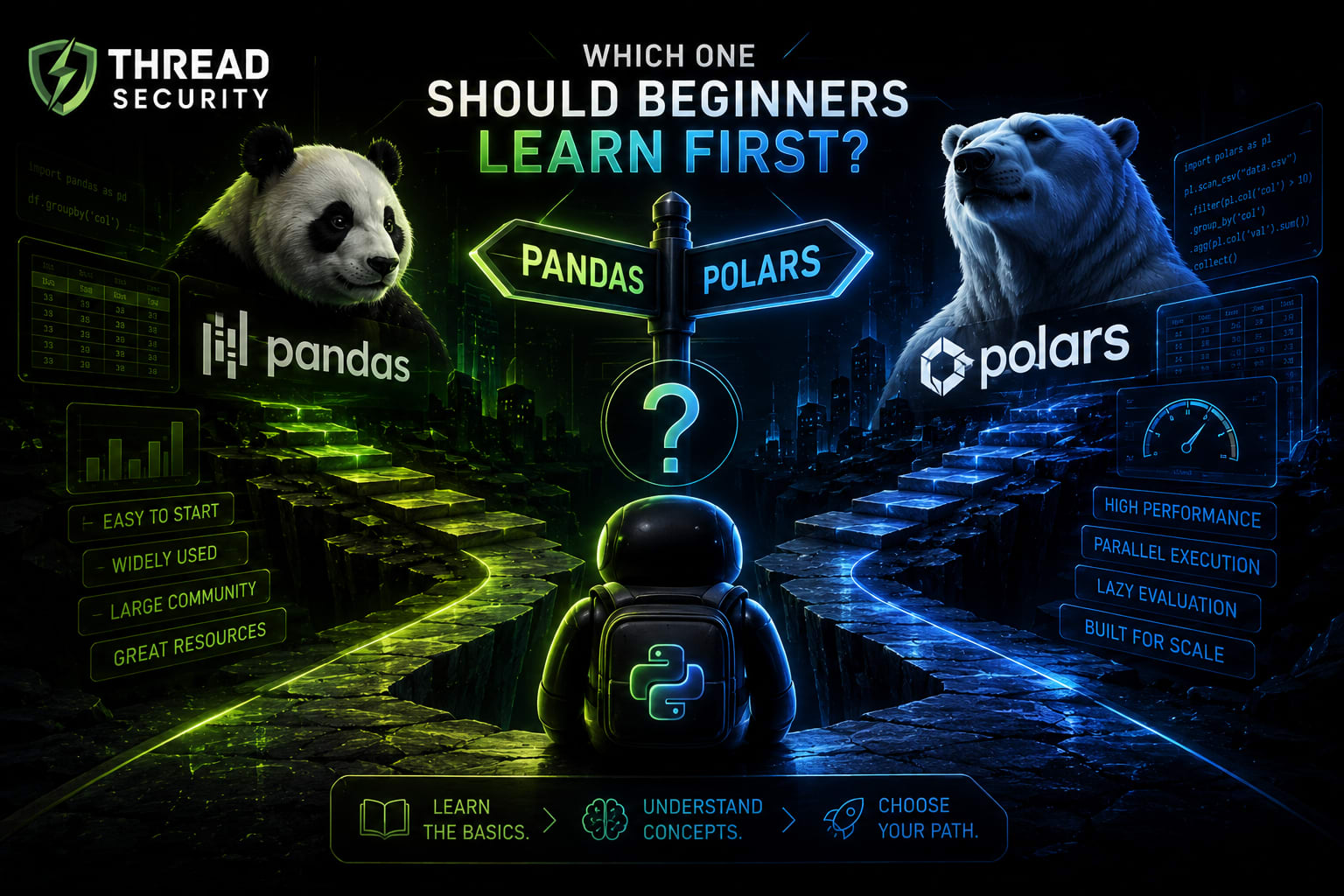
7. Which One Should Beginners Learn First?
For most beginners, learning pandas first is a sensible decision. It has extensive learning resources, broad ecosystem support and a strong presence in existing data analysis workflows. It also helps learners understand fundamental operations such as filtering, grouping, merging and handling missing values.
After understanding those concepts, adding Polars is a practical next step. It introduces a different execution model, expression-based transformations and query optimization. These skills become valuable when working with larger datasets or performance-sensitive pipelines.
A simple rule is:
Learn pandas first if you are starting Python data analysis, following beginner tutorials or preparing for many general data analyst and data science workflows.
Add Polars when you work with larger datasets, need efficient transformation pipelines or want to understand lazy execution and parallel processing.
Use both when an existing project requires pandas compatibility but a particular processing task benefits from Polars.
8. A Practical Learning Exercise
Instead of memorizing which library is faster, try a small experiment.
Create a CSV file with at least 10,000 sales records.
Load the same file using pandas and Polars.
Calculate total revenue by region.
Filter records above a chosen revenue threshold.
Sort the results and compare the outputs.
Repeat with a larger dataset if your computer has sufficient memory.
Record execution time, memory behavior and the amount of code needed.
For a fair benchmark, use the same input file, equivalent operations, comparable data types and the same machine. Run multiple trials, separate file-reading time from transformation time and avoid comparing a lazy query that has not been collected with an already executed pandas operation.
The objective is not to manufacture a winner. It is to understand how each library behaves under a workload that resembles your actual work.
Key Takeaways
pandas remains a practical first choice for beginners because of its mature ecosystem and learning resources.
Polars offers parallel execution, lazy evaluation and performance-focused data processing.
Polars 2.0 was officially released in October 2026, with notable developments in out-of-core processing and SQL support.
Neither library is universally faster or better for every dataset and workflow.
Learn dataframe fundamentals first, then compare tools using the same real workload.
Frequently Asked Questions
Is Polars faster than pandas?
Polars can be faster for many workloads because of parallel execution and query optimization. However, the result depends on the dataset, operation, hardware and implementation. It is not guaranteed to win every benchmark.
Should beginners learn Polars instead of pandas?
Most beginners should learn pandas first because of its broad ecosystem and learning resources. They can add Polars later to develop skills in efficient and performance-focused data processing.
Can Polars replace pandas completely?
Not in every project. Some tools and workflows depend on pandas, and migration may require changes to existing code. Both libraries can be useful in the same professional toolkit.
What is lazy evaluation in Polars?
Lazy evaluation builds a query plan before executing operations. Polars can optimize that plan, and the query is executed when methods such as collect() are called.
What is new in Polars 2.0?
The October 2026 release highlights initial out-of-core support, performance improvements, first-class SQL support, a new Map data type and stricter data-type behavior.
Learn Python Data Analysis with Thread Security Education
Choosing a dataframe library is only one part of learning Python data analysis. A strong foundation also requires understanding Python programming, data structures, data cleaning, statistical thinking, visualization and the practical interpretation of results.
Thread Security Education, the education initiative of Thread Security, focuses on practical and industry-oriented learning across Python, data science, machine learning and artificial intelligence.
If you are exploring AI courses in Jalandhar, look beyond the list of tools covered in a course. Choose a learning path that gives you opportunities to work with datasets, solve practical problems, understand performance and build projects that demonstrate your skills.
Explore practical learning opportunities with Thread Security Education and strengthen your foundation in Python, data science and AI.
Simranjit Kaur
VERIFIEDAI Trainer · Thread Security
Faculty mentor & research guide at Thread Security Education.